NeatShot

Screenshots, tidy.

A screenshot tool for Windows in the spirit of CleanShot X. One shortcut, a card in the corner, an editor that keeps every annotation editable.

Download for Windows Windows 10 and 11, 64 bit.
No admin rights, no runtime to install.
Capture

Three shortcuts. The overlay never ends up in the shot.

NeatShot freezes the desktop before it draws the overlay, so what you select is exactly what you get. Every monitor gets its own DPI correct overlay.

Alt Shift 1

Fullscreen

The monitor under the cursor, instantly.

Alt Shift 2

Window

Hover snaps to windows. Click to take the one you want.

Alt Shift 3

Region

Drag a rectangle. The size follows the cursor as you go.

Quick access

A card in the corner, not a window in the way.

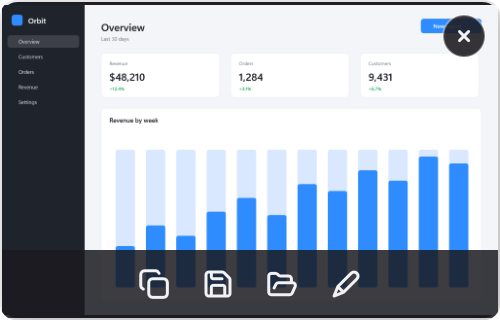
  • Slides in at the bottom left after every capture.
  • Hover to copy, save, reveal in Explorer or annotate.
  • Drag the thumbnail into any app to drop the file there.
  • Drag it to the left edge to dismiss it.
  • Nothing lands in your pictures folder until you say so.
Quick access card with copy, save, reveal and annotate actions

Editor

Every annotation stays editable.

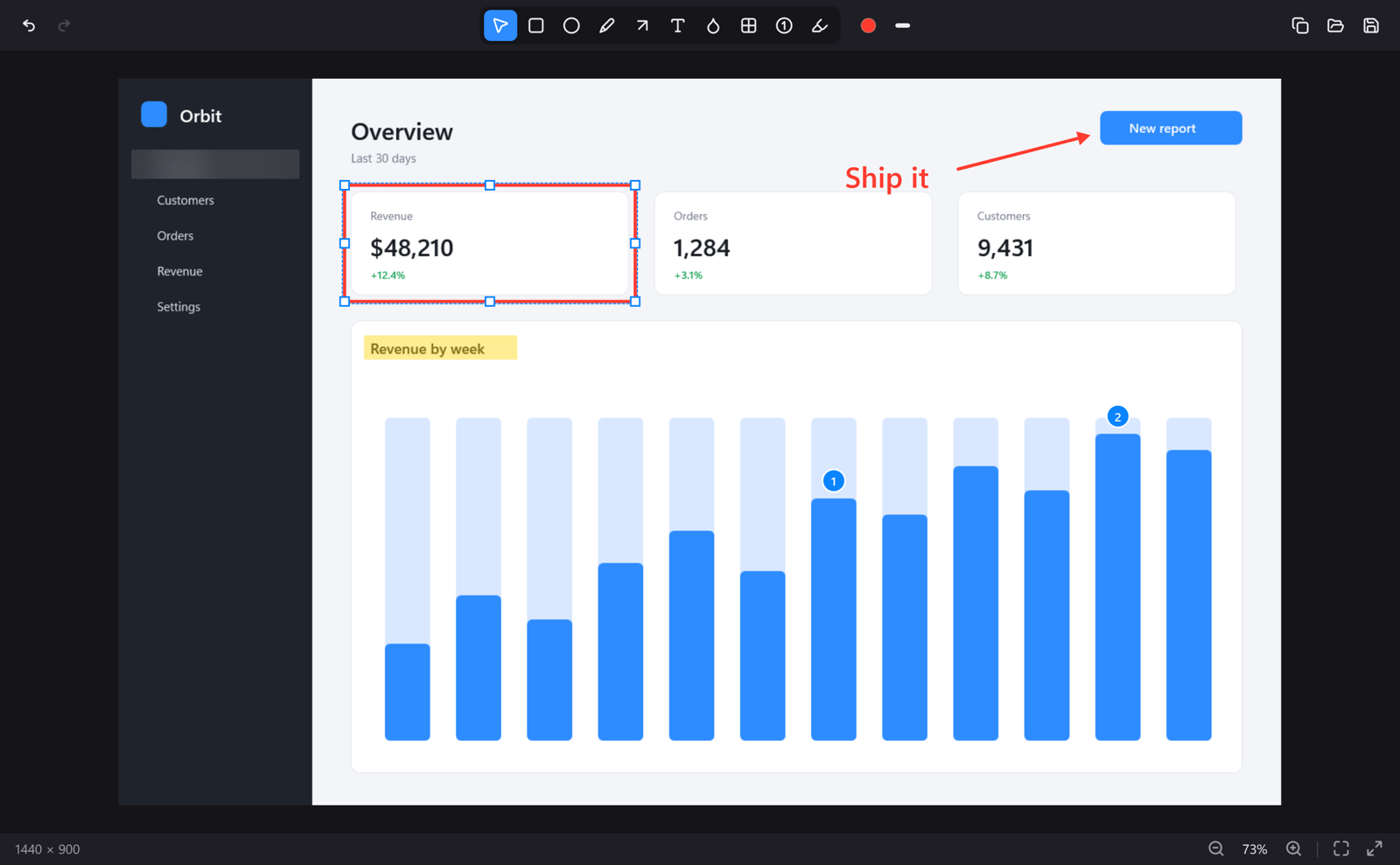
Move it, resize it, change its color or line width, double click text to rewrite it. Drag something past the edge and the canvas grows with it. Undo is unlimited.

ArrowRectangleEllipsePenTextCounterHighlighterBlurPixelate
NeatShot editor with an annotated screenshot

Free, open source, no account.

Setup or portable zip MIT license Built with WPF on .NET 10